
锐捷交换机配置堆叠
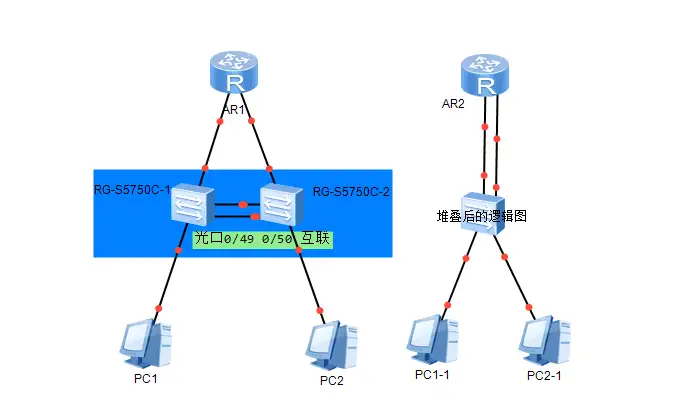
简单介绍两台锐捷RG-S5750-C(RG-S6220C)通过光口堆叠。
堆叠后2台交换机可以逻辑上看为1台交换机,并统一管理。
接口从交换机1的0/1变为1/0/1,从交换机2的0/1变为2/0/1,
上联路由器的2条链路改为聚合口。
说明:sw1设置vs的domain域2,设置机框为1,命名switch-1,权重200
sw2设置vs的domain域2,设置机框为2,命名switch-2,权重100
分别进入vsl模式添加级联接口0/49和0/50,退出后开启模式转换。
1 、配置SW1
#configure
(config)#switch virtual domain 2
(config-vs-domain)#switch 1
(config-vs-domain)#switch 1 description switch-1
(config-vs-domain)#switch 1 priority 200
(config-vs-domain)#switch crc errors 10 times 20
(config-vs-domain)#exit
(config)#vsl-port
(config-vsl-port)#port-member interface tenGigabitEthernet 0/49
(config-vsl-port)#port-member interface tenGigabitEthernet 0/50
(config-vsl-port)#exit
(config)#exit
#switch convert mode virtual
输入yes设备会重启生效
2、配置SW2
#configure
(config)#switch virtual domain 2
(config-vs-domain)#switch 2
(config-vs-domain)#switch 2 description switch-2
(config-vs-domain)#switch 2 priority 100
(config-vs-domain)#switch crc errors 10 times 20
(config-vs-domain)#exit
(config)#vsl-port
(config-vsl-port)#port-member interface tenGigabitEthernet 0/49
(config-vsl-port)#port-member interface tenGigabitEthernet 0/50
(config-vsl-port)#exit
(config)#exit
#switch convert mode virtual
输入yes设备会重启生效
3、在设备1上sho run堆叠后会出现2个槽位的接口,统一管理。
此时sw2的配置与sw1同步。
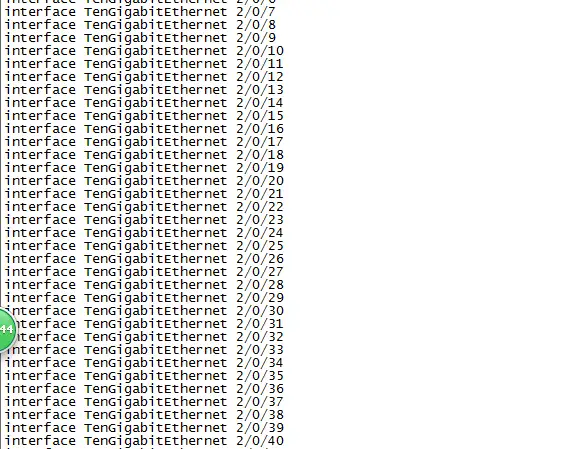
4、在设备1上sho switch virtual config 检查如下
#sho switch virtual config
switch_id: 1 (mac: 0074.9c10.03c4)
!
switch virtual domain 4
!
switch 1
switch 1 priority 200
switch 1 description switch-1
!
port-member interface TenGigabitEthernet 0/47
port-member interface TenGigabitEthernet 0/48
switch crc errors 10 times 20
switch convert mode virtual
!
switch_id: 2 (mac: 0074.9c10.02ce)
!
switch virtual domain 4
!
switch 2
switch 2 priority 100
switch 2 description switch-2
!
port-member interface TenGigabitEthernet 0/47
port-member interface TenGigabitEthernet 0/48
switch crc errors 10 times 20
switch convert mode virtual
!
5、如何切换到堆叠前的独立状态呢?
#switch convert mode standalone
输入yes重启即可
共有 0 条评论